Statements
Overseeing statements, releasing a stuck record, and automatic expiry.
Reference
Expert statements are prepared by users, reviewed by a colleague and signed outside the platform. Each one is tied to a record, and a record can hold only one active statement of each type at a time. The Statements page under Platform Management lists every statement on the platform, lets you open any of them, and gives you the one intervention users cannot make themselves: releasing a record whose statement slot is held by an approved statement. Use it when a user cannot raise a replacement statement, or when you need to see what has been sworn about a record.
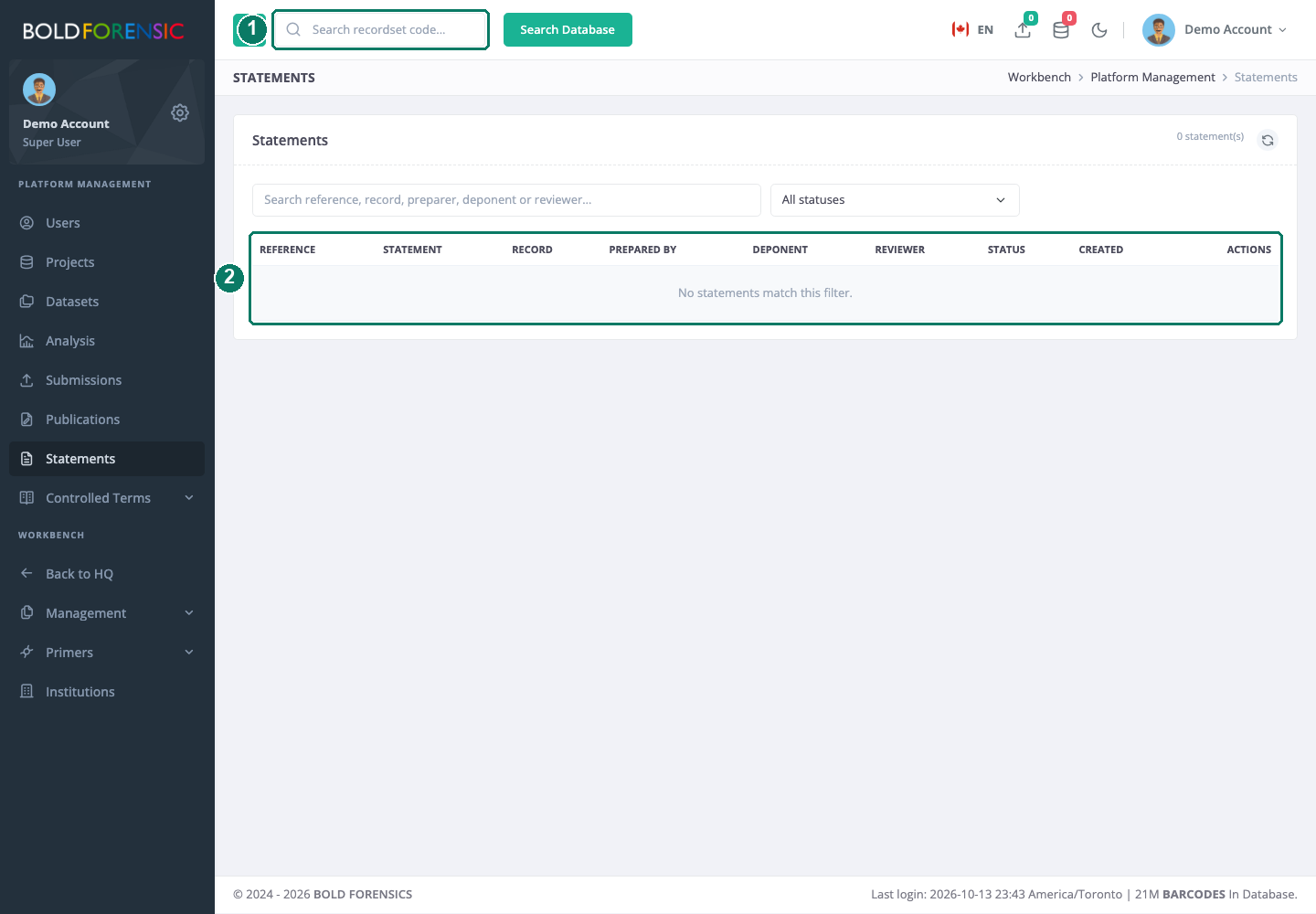
- Search by reference, Process ID or person
- Statements table with the actions on each row
How it works
A statement is created when a user submits it for review. From that point it has a reference (STMT-YYYY-NNNNN), a saved snapshot of every value, and a stored PDF. Its status then follows the review:
| Status | Meaning |
|---|---|
Pending review |
Submitted and waiting for the assigned reviewer. |
Reviewed |
Approved. The PDF has been rebuilt without a watermark; Word download and the signed-copy upload are available. |
Rejected |
Returned with a reason. The preparer can raise a replacement. |
Cancelled |
Withdrawn by the preparer, or expired by the nightly job. |
Superseded |
A rejected statement that has been replaced by a new one. |
"Active" means pending or reviewed. While a record has an active statement of a type, no second statement of that type can be submitted for it. Users can cancel their own pending statements, which frees the slot. They cannot cancel an approved one; that is what this page is for. The user-side lifecycle is described in Review, signing and retention.
The statements list
The page lists every statement, newest first, up to 500. The search box matches the reference, the record's Process ID and the people involved; the status filter shows one status or all. Each row shows the reference, statement type, record, who prepared it, the deponent, the reviewer, the status and when it was created.
From a row you can open the stored PDF, which is the pending, watermarked version or the approved, clean version depending on status, and read the reviewer's feedback where a decision has been recorded.
Release a record
If a user needs a new statement of a type for a record that already has an approved one, say because a signed copy must be redone, the approved statement has to go first.
- Find the statement by reference or Process ID and confirm with the preparer that it is the right one.
- Click the trash icon. The Release Record dialog names the reference and the record.
- Click Release. The statement, its snapshot and its PDF are deleted permanently, and the record's slot for that type is free.
Good to know: release is a hard delete, and there is no way to restore the statement afterwards. If a signed copy was already uploaded, that scan stays filed as a document on the record; only the statement itself is removed. If the signed copy is also wrong, the user must deal with it through the record's documents.
The nightly rules
A scheduled job runs every night and applies two rules.
- Pending statements are cancelled after 7 days. A review request the reviewer has not acted on within seven days of submission is cancelled, and the record's slot is released. The preparer has to submit again.
- Finished statements are deleted after 30 days. Reviewed, rejected, cancelled and superseded statements are deleted 30 days after they were created. The stored PDF, the Word source and the snapshot go with them. A signed scan that was uploaded to the record stays.
Thirty days is counted from creation, not from approval or from the signed-copy upload, and it applies whether or not a signed copy was ever uploaded. Once the statement is gone, a new one of the same type can be raised for the record.
What this means for institutional filing
The platform is a drafting and review tool, not an archive. It keeps a statement long enough to be reviewed, downloaded, printed, signed and filed, and then removes it. Your institution's filed copy is the lasting record. Make sure users understand two things: an approved statement should be downloaded (PDF or Word) and the signed scan uploaded to the record well within the 30 days, and the stored PDF and feedback shown on this page will not be there to consult a month later. If you need to see what a statement said after it has been purged, look for the signed scan among the record's evidence.
Limit: there is no statement history or audit trail on the platform. Deleted and purged statements leave no entry on this page.